Transfer received, order auto-approved.
PaidHook Operator reads transactions straight from myBCA, BRImo and Jago on Android phones plugged into the PaidHook MiniPC or your own computer. Every transfer reaches PaidHook with the payer's name and bank, and your website or POS approves the matching order.
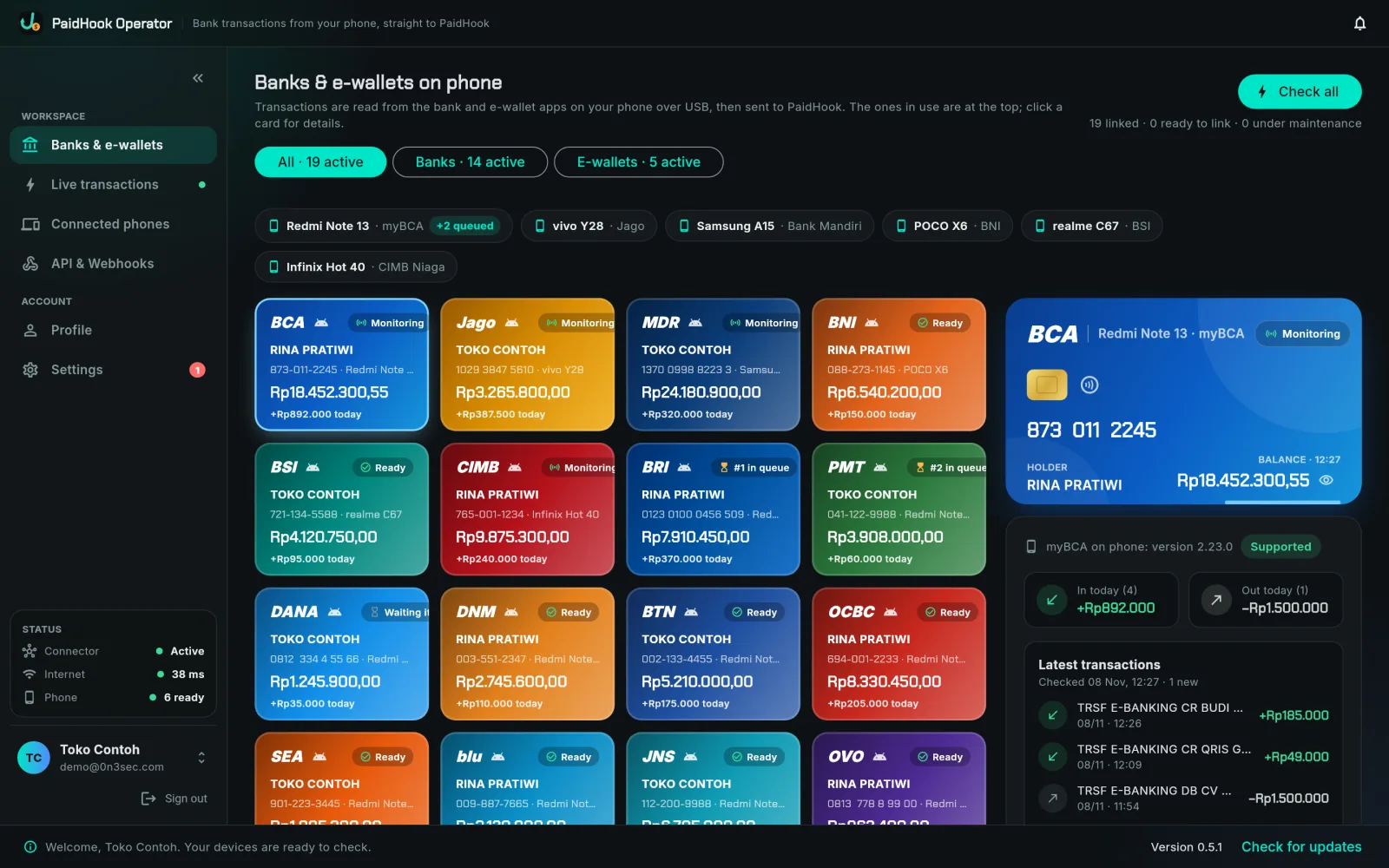
Reads myBCA, BRImo and Jago today · more Indonesian banks and e-wallets on the way
From the bank app on your phone, to an approved order.
Four hops, a few seconds, no one refreshing a banking app.
Bank phone
Sign in once to myBCA, BRImo or Jago on an Android phone.
PaidHook Operator
On the MiniPC or your computer, Operator opens the bank app over USB and reads new transactions.
PaidHook API
Each transaction is stored with the payer's name, bank and amount.
Website / POS
A webhook or a payment check approves the matching order.
The app that watches your bank accounts for you.
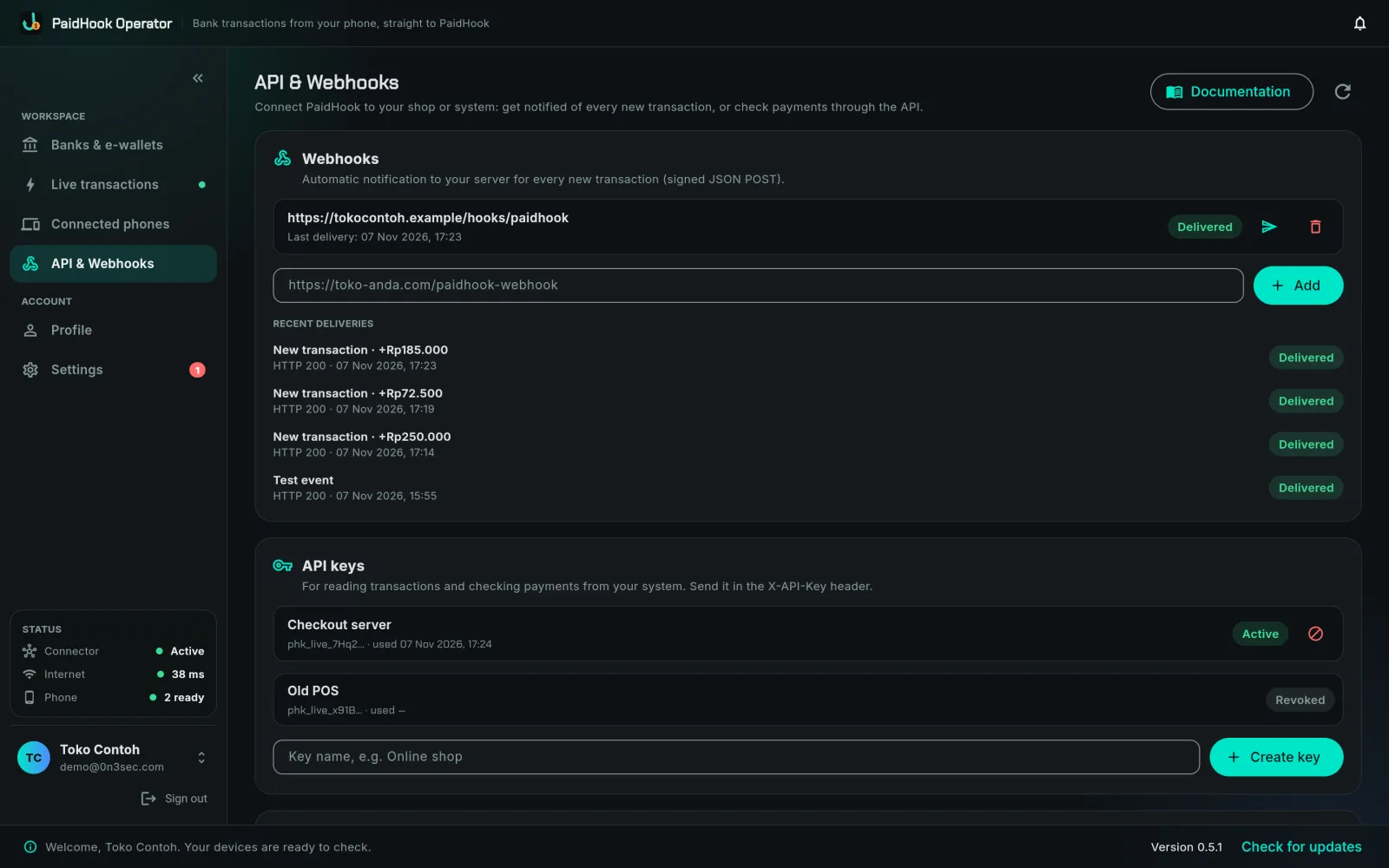
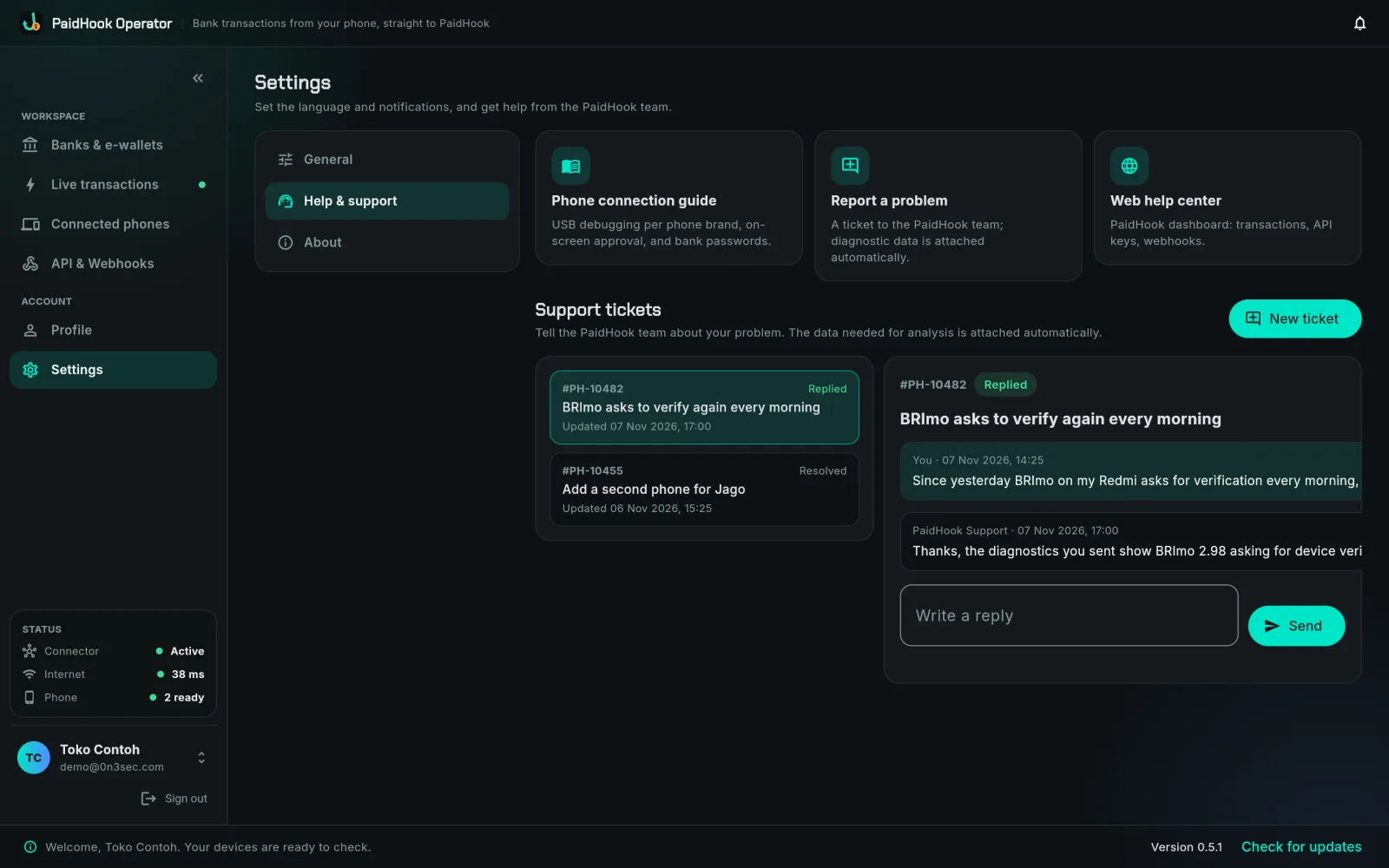
Real screens from PaidHook Operator, with sample data. The same app runs on the PaidHook MiniPC, on macOS, Windows and Raspberry Pi.
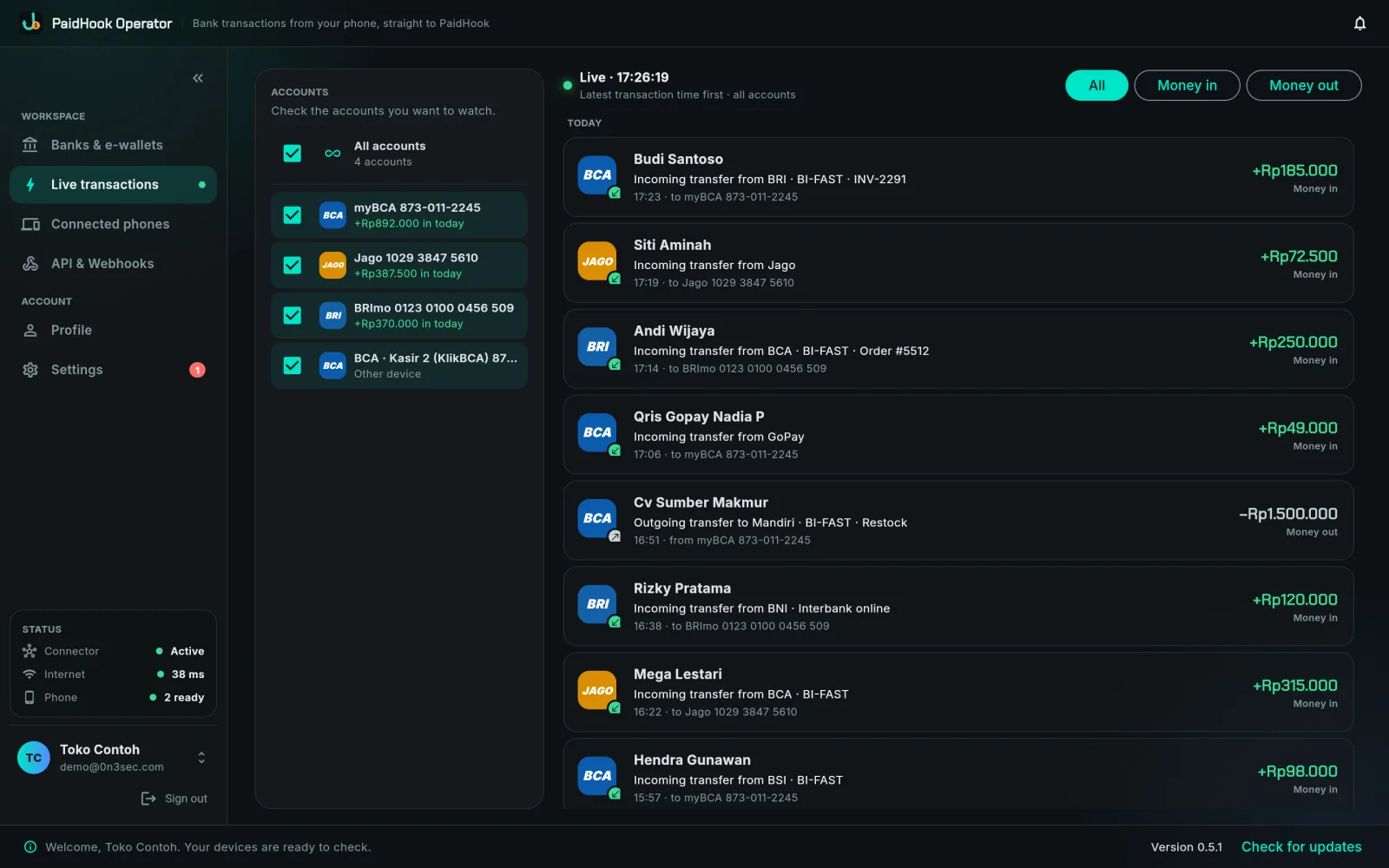
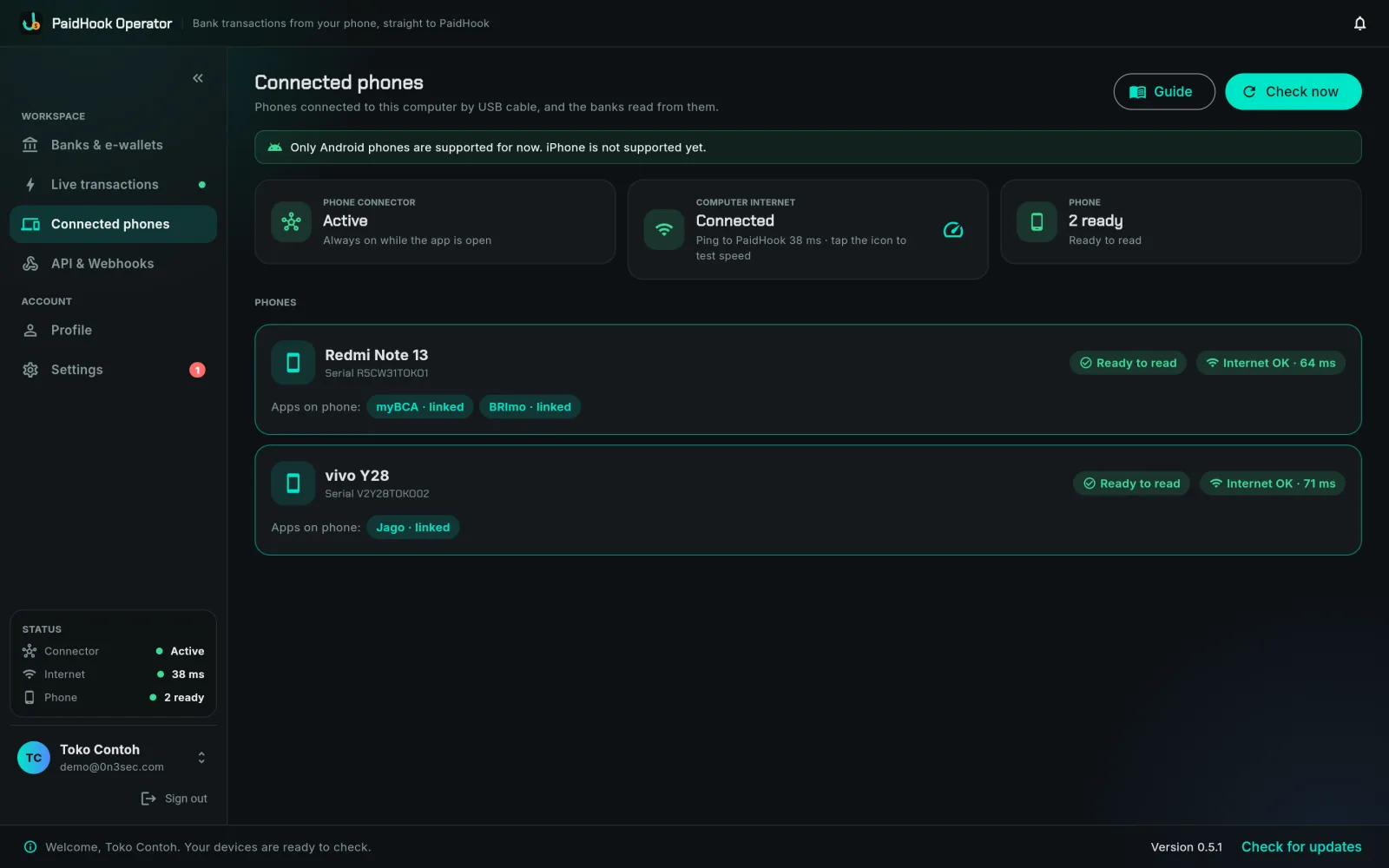
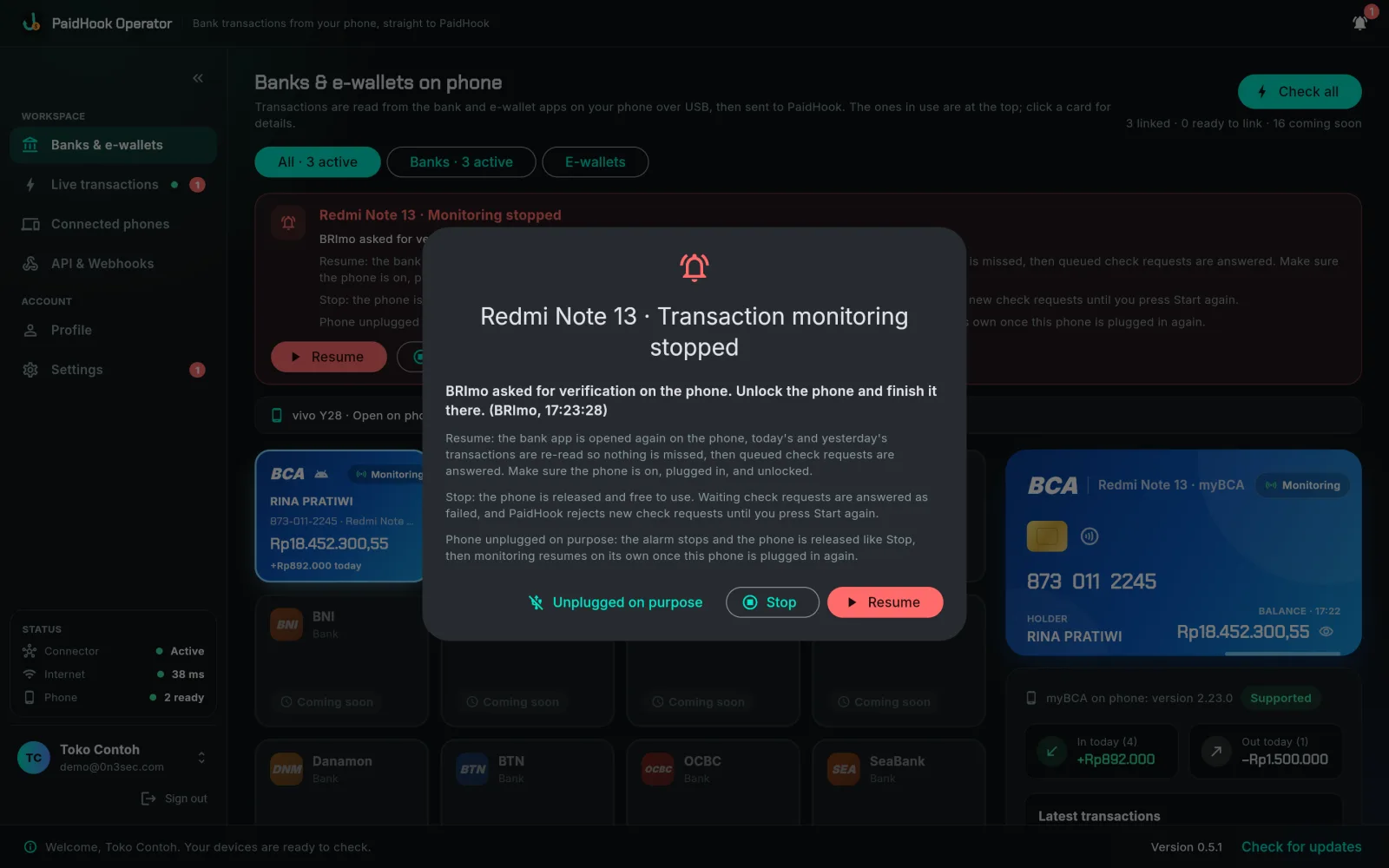
Built to keep reading, even when a bank gets in the way.
Operator handles the bank apps so nobody has to check statements by hand.
Nonstop or scheduled
Keep a bank open on its transactions screen and refreshed continuously, or check it every 3, 5, 10 or 15 minutes.
Check on request
Your checkout asks PaidHook whether a transfer has arrived; Operator reads the phone right away and answers.
Signs back in for you
Save the bank app password on the computer, encrypted. If the bank logs out, Operator signs in again by itself.
Many phones, one computer
Phones work in parallel; banks on the same phone take turns, and requests from PaidHook are queued in order.
Alarms and notifications
A siren and a desktop notification when monitoring stops, plus notifications for money in and support replies.
31-day history
Re-read the last 31 days from a bank app in one click, so nothing older is missing from PaidHook.
Webhooks and API
Signed webhooks for every new transaction, API keys, and a delivery log, managed from the app or the dashboard.
Always up to date
Operator updates itself, refuses to run if it has been modified, and opens a ticket with diagnostics when something breaks.
The PaidHook MiniPC is Operator, ready to use.
A small, dedicated computer with PaidHook Operator already installed. Plug in power and internet, connect your bank phones by USB, sign in with your PaidHook account. Your laptop stays free, and the MiniPC keeps reading around the clock.
- Sign in to myBCA, BRImo or Jago on each Android phone.
- Plug the phones into the MiniPC by USB.
- Sign in to Operator; the bank cards light up by themselves.
- Transactions flow to PaidHook and orders get approved.
Price on request. Uses the same Operator subscription as your own computer.
Approve in real time. Reconcile with confidence.
PaidHook Reconcile closes the loop after payment approval: upload the export from Web A and bank or e-wallet statements, then review every match and mismatch in one monthly record.
- Import every source. Bring in your Web A transaction export together with statements from one or more banks and e-wallets.
- Match with evidence. Compare account number, payer name, amount, and transaction timing. The source data stays intact for audit.
- Resolve exceptions. Unmatched, duplicated, or amount-different records remain clearly flagged for the finance team to investigate.
- Monthly archive. Save each close as a period-based reconciliation run, ready to reopen during reporting or audit.
Download PaidHook apps
Anyone can download, log in, and access the dashboard. Features require an active subscription.
PaidHook Operator
macOS · Windows · Raspberry PiReads myBCA, BRImo and Jago on Android phones plugged into your computer, and sends every transaction to PaidHook. Preinstalled on the MiniPC.
Get OperatorPaidHook Receiver
Android onlyNo computer? Install Receiver on the Android phone that gets paid. It reads bank and e-wallet notifications and sends them straight to PaidHook.
Get ReceiverPaidHook
your dashboard as an appDashboard, devices and reconciliation in one app, no browser needed. Available for macOS and Windows.
Get PaidHookOperator and Receiver require different subscription plans. Operator pricing · Receiver pricing.
One payment trail, from the bank app to monthly close.
PaidHook Operator reads every transfer as it lands, PaidHook approves the order, and Reconcile compares the approved records with official statements, so operations and finance work from the same source of truth.
- Transactions read straight from the bank app
- Payer name and bank on every transfer
- Automatic order approval by webhook or API
- Alarm the moment a bank stops
- Monthly reconciliation and audit trail