PaidHook Operator, ready out of the box.
The PaidHook MiniPC is a small, dedicated computer with PaidHook Operator already installed. Plug in power and internet, connect the Android phones with your bank apps by USB, and sign in with your PaidHook account. Nothing to install, nothing to configure.
From the box to approved orders.
Everything Operator needs is already on the device.
Order
We prepare a MiniPC with PaidHook Operator installed.
Plug in
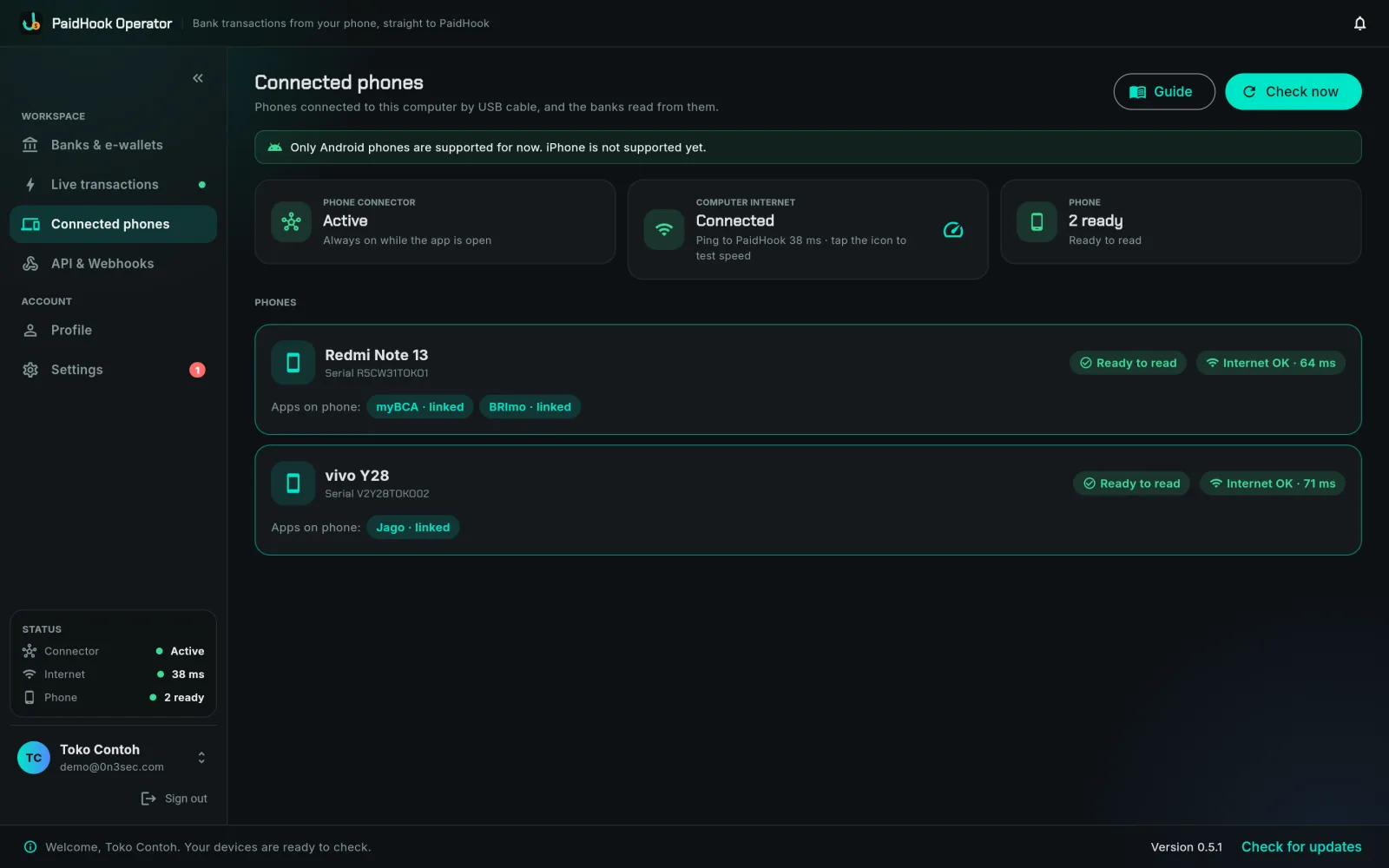
Connect power, internet and the phones with myBCA, BRImo or Jago.
Sign in
Log in to Operator with your PaidHook account. The bank cards light up by themselves.
Get paid
Transactions flow to PaidHook and orders get approved.
The full PaidHook Operator, on a box that never sleeps.
Real screens from Operator, with sample data. Everything here works on the MiniPC from the first sign-in.
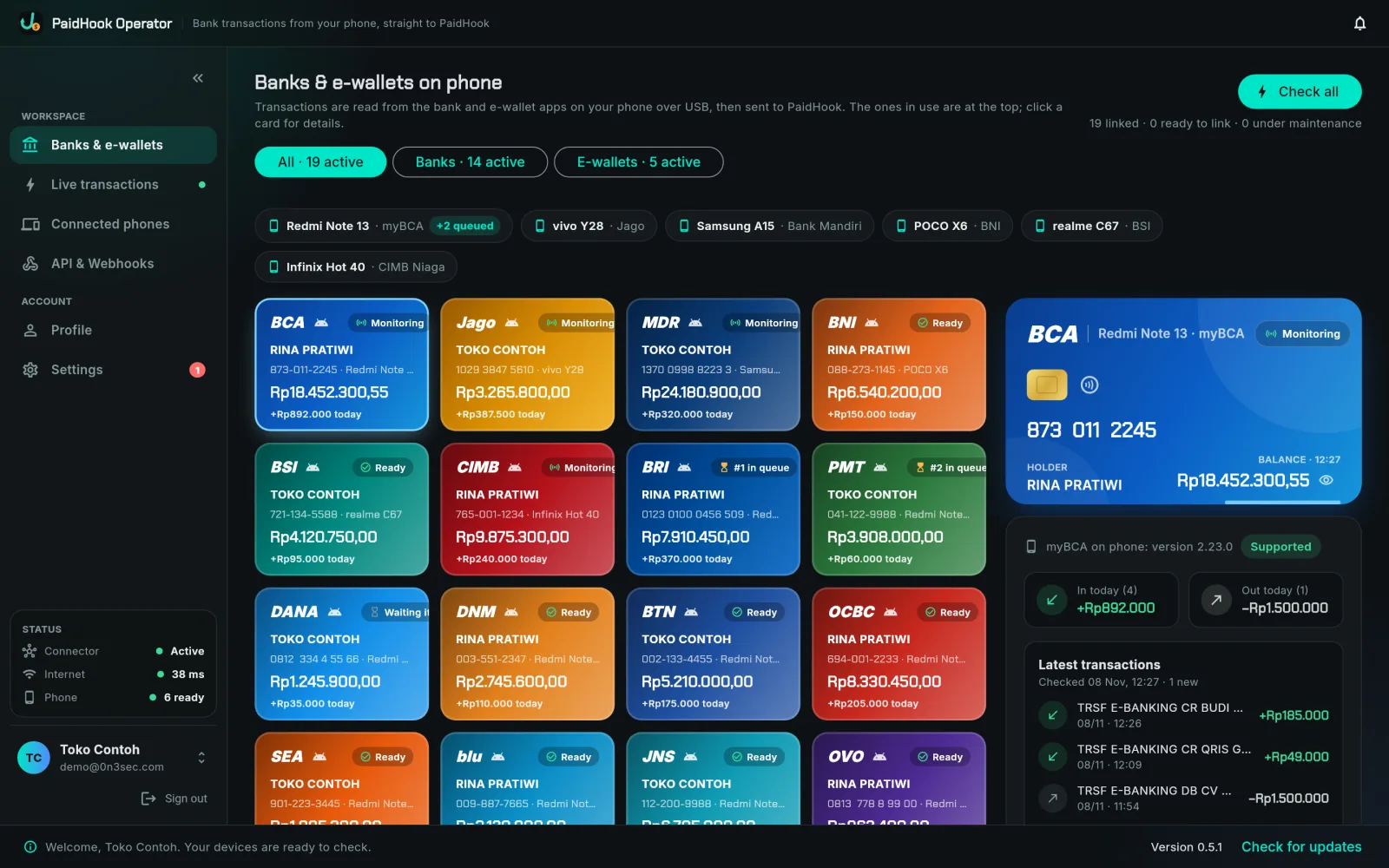
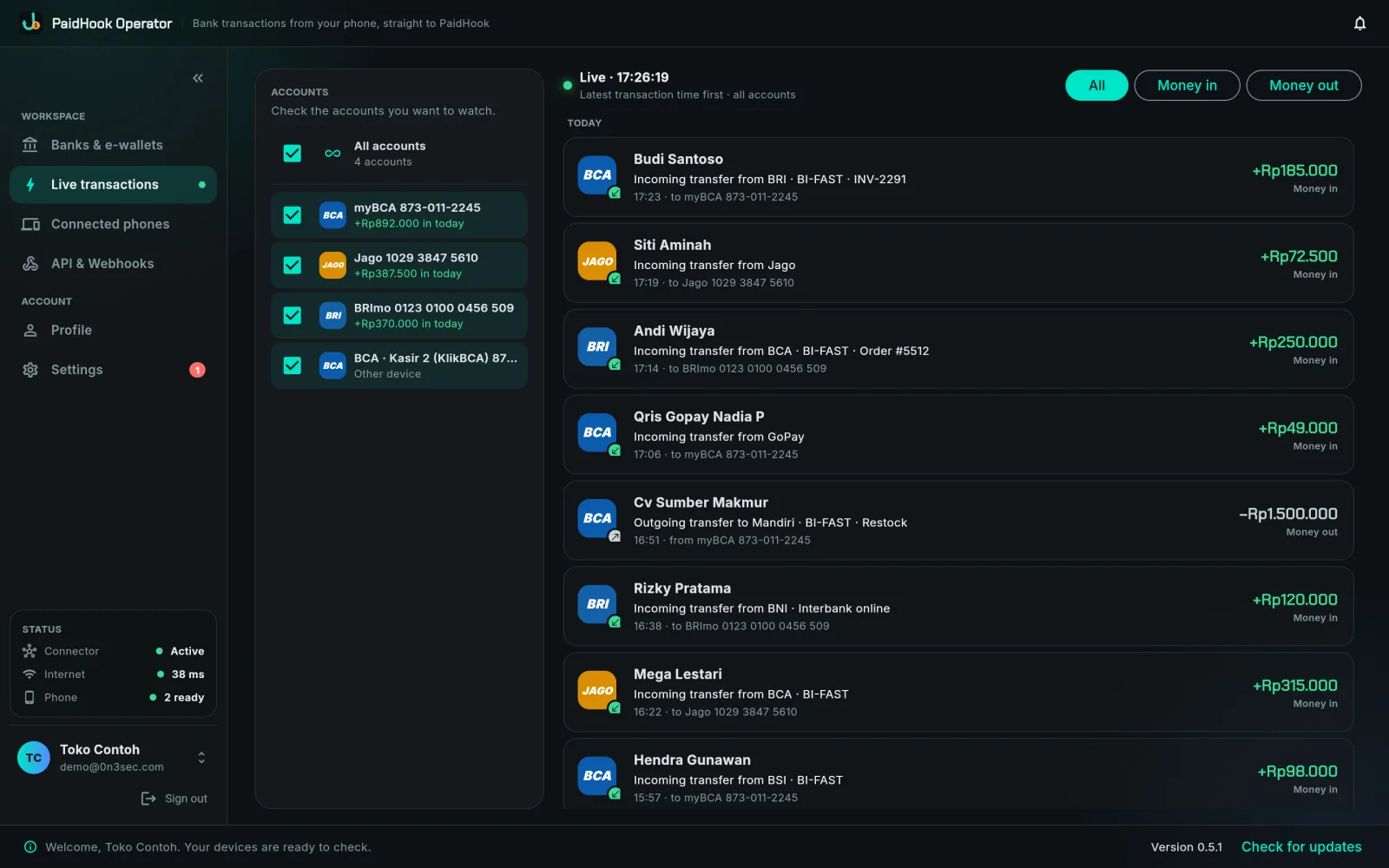
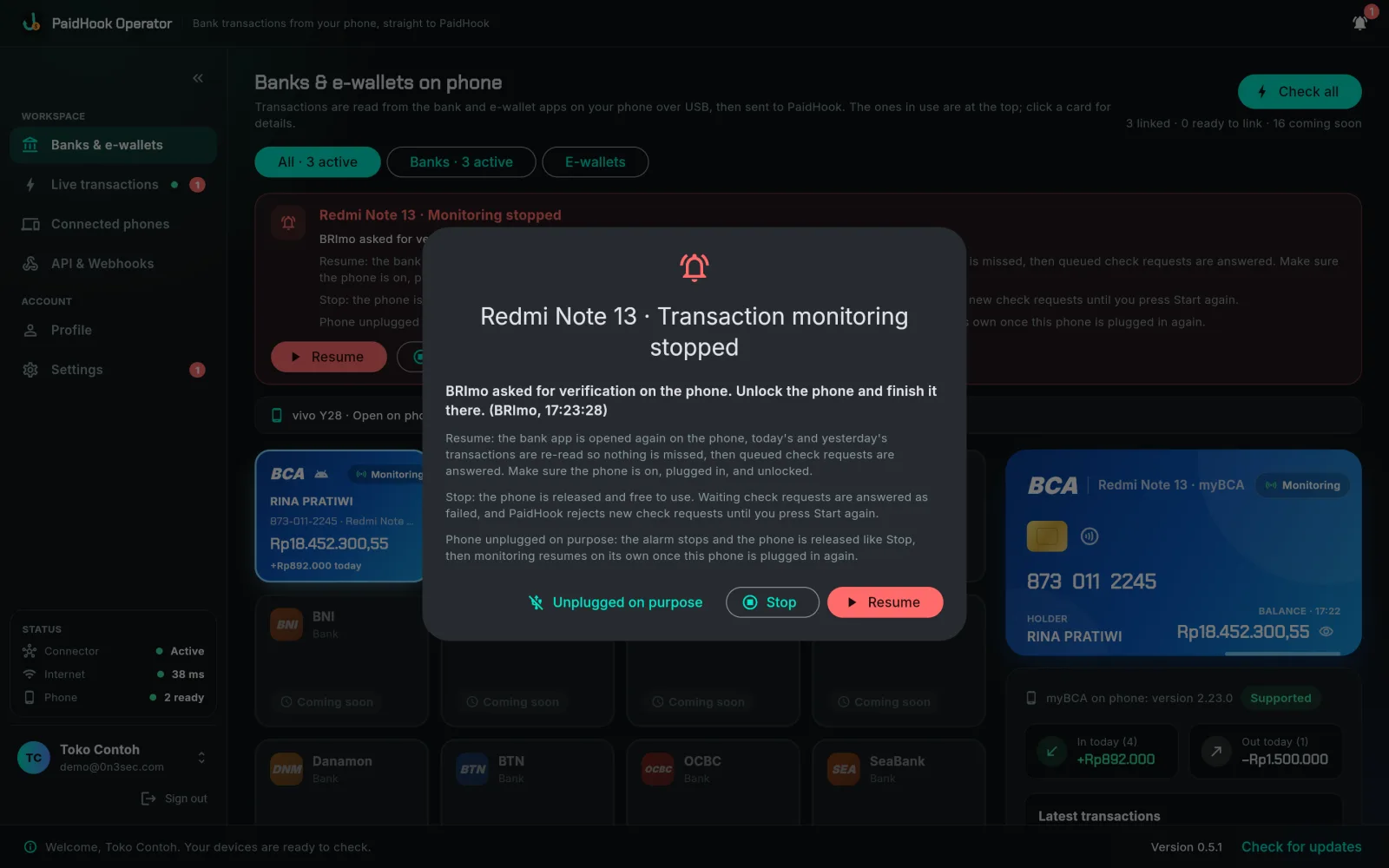
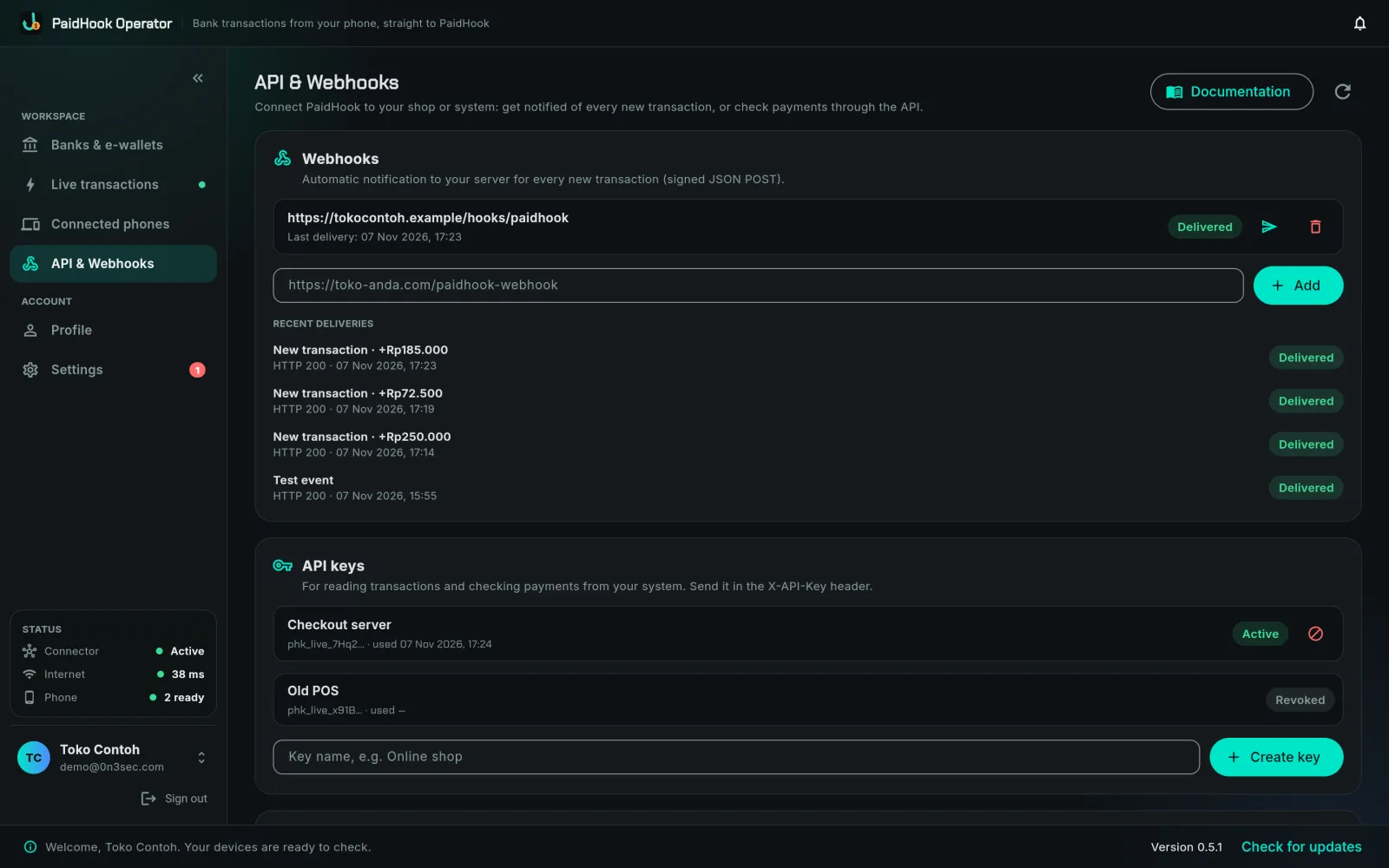
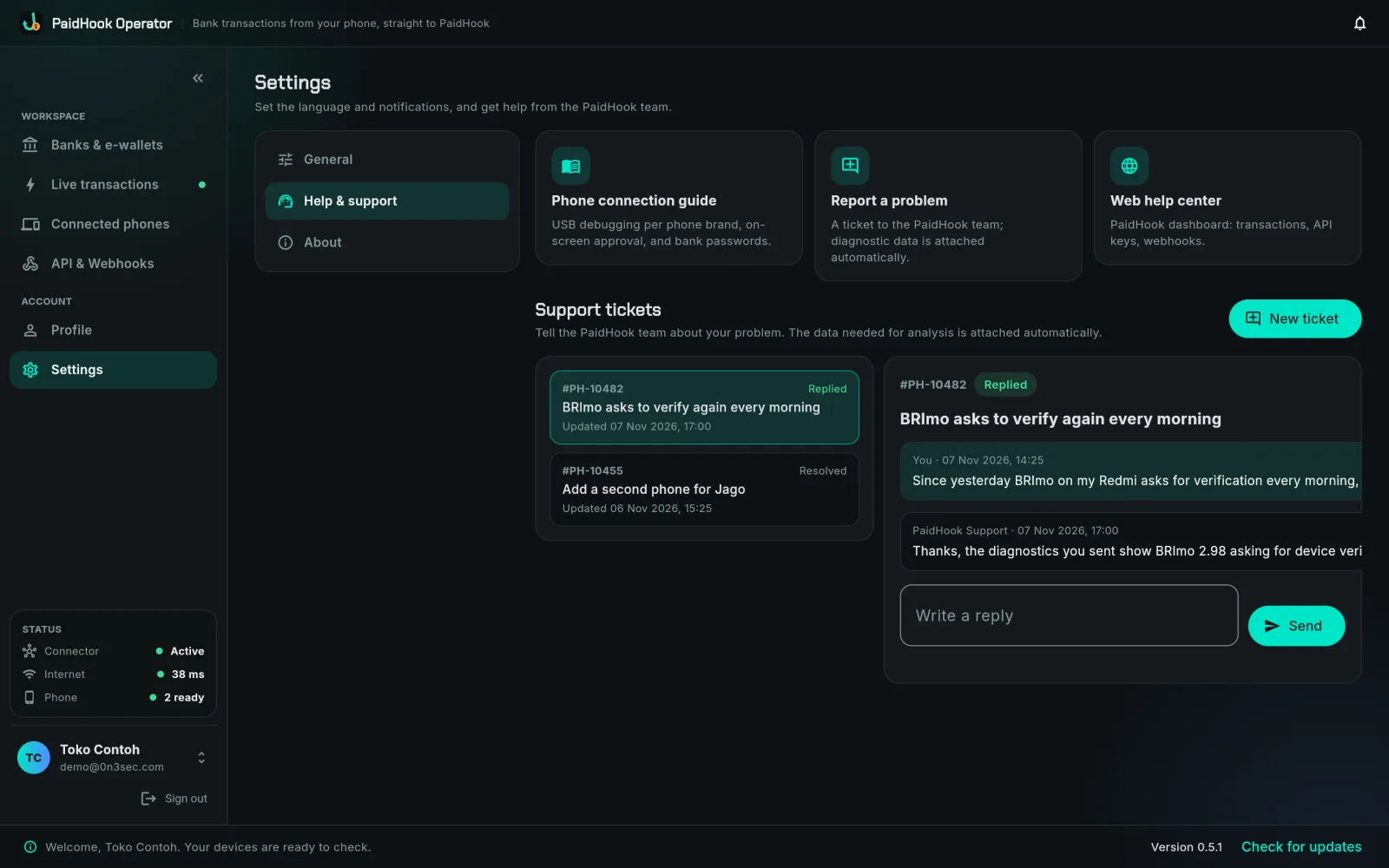
A dedicated Operator, always on duty.
Instead of keeping a laptop or office PC running all day, the MiniPC does one job: keeping your bank apps open, reading every transaction, and sending it to PaidHook.
- MiniPC with PaidHook Operator already installed
- Reads myBCA, BRImo and Jago; new banks arrive through updates
- Several phones at once, each with one or more bank apps
- Siren and notification if a bank stops, so nothing is missed
- Operator keeps itself up to date after setup
- Your laptop and office PC stay free for other work
What you still need
- Android phones with myBCA, BRImo or Jago, signed in once. One phone can carry several bank apps.
- Power and internet where the MiniPC stands.
- A PaidHook account with an active Operator subscription.
Your own computer, or a PaidHook MiniPC.
Both run the same PaidHook Operator and use the same Operator subscription.
Your own computer
Free download
- macOS, Windows or Raspberry Pi you already have
- You install Operator and connect the phones
- The computer has to stay on to keep reading
PaidHook MiniPC
Price on request
- Operator already installed, nothing to set up
- Plug in power, internet and phones, then sign in
- A small device dedicated to PaidHook, on 24/7
MiniPC questions
Do I still need a subscription?
Yes. The MiniPC runs PaidHook Operator, and Operator features require an active Operator subscription, the same as on your own computer.
Which banks can it read?
Today Operator reads myBCA, BRImo and Jago. Other Indonesian banks and e-wallets appear in the app as coming soon and are added through updates; no new device needed.
Which phones work?
Android phones with the bank app installed and signed in once. One MiniPC serves several phones at the same time, and one phone can carry several bank apps that take turns. iPhone is not supported.
What if a bank app logs out or asks for verification?
Operator signs back in with the bank password you saved (stored encrypted on the MiniPC). If the bank needs you, for example to verify on the phone, Operator stops, sounds an alarm and shows exactly what to do.
Can I use my own computer instead?
Yes. Download PaidHook Operator for macOS, Windows or Raspberry Pi and run it on a computer you already have. The MiniPC is for teams that want a ready, dedicated device.
How do I order?
Press Order a MiniPC and tell us how many devices you need and which banks you use. We reply to confirm the details with you.
Ready to skip the setup?
Order a PaidHook MiniPC with Operator installed, or start with your own computer today.